World 01 · Orchard Basket
Fruit Merge Game: Orchard Basket 11-Tier Ladder
Drop matching fruits, climb the 11-tier cherry-to-watermelon physics ladder, and hit the 1,550-point three-star target in World 1 of Meld Games.
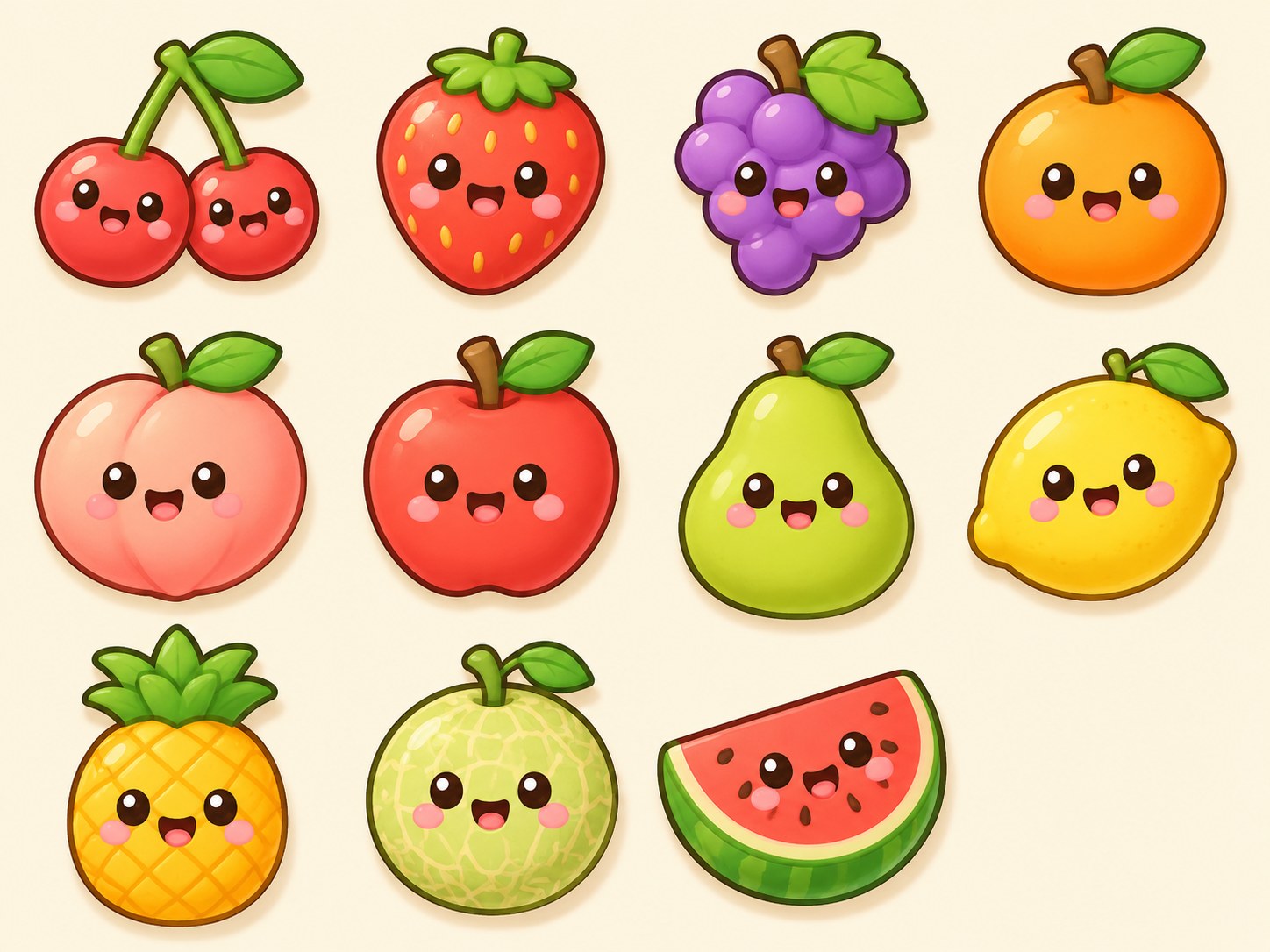
What Is the Orchard Basket Fruit Merge Game?
Orchard Basket is the opening island of the Meld Games drop-and-merge puzzle, built around a classic fruit merge game ladder. You drop round fruit stickers into a narrow vertical container driven by 2D circle physics. Whenever two identical fruits touch, they instantly fuse into the next fruit on the eleven-tier chain and award merge points.
Because Orchard Basket is World 1, it is unlocked from the moment you open the site—no sign-up, download, or tutorial wall required. Creating a Tier 7 Pear clears the island and opens World 2 (Confection Row), while letting you stay in the same round to chase a lemon, pineapple, melon, or full watermelon for a higher score.
Complete 11-Tier Fruit Merge Ladder
Every fruit in Orchard Basket has a fixed physics radius and merge payout. Smaller fruits drop from the top of the box (starting with Cherries through Peach as you unlock higher tiers during a round), while larger fruits can only be built by chaining merges together.
| Tier | Fruit | Merge Points | Relative Radius | Milestone |
|---|---|---|---|---|
| 1 | Cherries | Base drop (0) | 4.6 | Starting drop |
| 2 | Strawberry | 6 | 6.0 | First merge |
| 3 | Grapes | 12 | 7.6 | Early combo |
| 4 | Orange | 20 | 9.2 | Mid-size drop |
| 5 | Peach | 30 | 11.0 | Largest droppable tier |
| 6 | Apple | 42 | 13.0 | Merge-only tier |
| 7 | Pear | 56 | 15.0 | World 1 Goal (1 Star + unlocks World 2) |
| 8 | Lemon | 72 | 17.2 | Bonus chain tier |
| 9 | Pineapple | 90 | 19.6 | High-value fruit |
| 10 | Melon | 110 | 22.0 | Second largest fruit |
| 11 | Watermelon | 132 | 24.6 | Top tier (two colliding clear for 264 pts) |
When two Tier 11 Watermelons collide, both vanish in a particle burst and award 264 bonus points, freeing nearly half the box so you can extend a marathon score run.
Star Thresholds and World Progression
Clearing Orchard Basket is only the first milestone. Each world records your personal best score and awards up to three stars based on exact score thresholds:
- 1 Star (World Clear): Create a Tier 7 Pear. This unlocks World 2 (Confection Row) on the world map immediately. You can tap Next world from the clear banner or choose Keep playing to push your score higher in the same round.
- 2 Stars: Finish with at least 1,100 points after clearing the Pear goal.
- 3 Stars: Reach 1,550 points or more after clearing the Pear goal.
Your best score, stars, and top 20 runs for Orchard Basket are stored on your device. If you want to see how Orchard Basket compares with the other 19 themed islands—from sweets and ocean animals to dinosaurs and wizard spells—read our 20-world merge game online guide or jump straight back to browse all twenty themed islands.
How to Play on Mobile and Desktop
The fruit merge game runs smoothly in any modern browser with JavaScript and HTML5 Canvas, scaling sharply to high-DPI displays on phones, tablets, and desktop monitors.
Desktop Controls (Mouse and Keyboard)
- Aim: Move your mouse across the box, or tap the Left (
←) and Right (→) arrow keys for precise horizontal steps. - Drop: Click inside the box, or press
Space,Enter, orDown Arrow. There is a brief 0.42-second cooldown between drops so rapid taps do not accidentally stack two fruits in mid-air. - Bomb Power-Up: Press
B(or click the bomb button below the board) to freeze the board and aim the blast circle, then click or pressSpaceto clear every fruit inside the circle. PressEscto cancel without spending a bomb. - Audio & Full Screen: Toggle background chords (
♫), sound effects (♪), or full-screen mode (⛶) at any time in the toolbar.
Mobile and Tablet Controls (Touch)
- Aim and Release: Touch anywhere on the board and drag left or right while watching the vertical guide line. Lift your finger to drop the fruit cleanly at that X coordinate.
- Bomb Targeting: Tap the bomb button at the bottom of the board, drag or tap the crowded cluster you want to remove, and lift to detonate.
Practical Tips for Clearing Pear and Reaching 3 Stars
Because the box uses realistic circle collision and slight rolling momentum, placement order matters more than speed:
- Keep heavy fruits anchored in one corner. Once you build an Apple or Pear, park it near the left or right wall and feed smaller fruits down the adjacent slope so they naturally roll into matching pairs.
- Avoid burying small fruits under large ones. A Cherry or Strawberry trapped beneath an Orange and a Peach cannot merge until you clear space above it, which quickly pushes the stack toward the dashed overflow line.
- Watch the two-second dashed line. A newly dropped fruit gets a brief one-second grace window while falling. After that, any piece resting above the red dashed line for two consecutive seconds ends the round.
- Save your bombs for recovery. Every player starts with two bombs, and copying or sharing a generated PNG score card awards one bonus bomb (up to three per calendar day). Using a bomb on a single trapped cherry-orange pocket often saves a 1,500+ point three-star run.
- Keep playing after making a Pear. Reaching the Pear triggers the clear banner, not game over. Choose Keep playing to chain a Lemon, Pineapple, or Melon and lock in your 1,100-point (2★) and 1,550-point (3★) targets in the same run.
All progress and local leaderboard rows stay strictly in your browser; see our local browser save privacy policy for full details.
Fruit Merge Game FAQ
What is the goal fruit in Orchard Basket?
You need to build a Tier 7 Pear by merging Cherries → Strawberry → Grapes → Orange → Peach → Apple → Pear. Creating a Pear clears Orchard Basket and unlocks World 2.
What scores are required for 2 and 3 stars in the fruit merge game?
You earn 1 star for creating a Pear, 2 stars at 1,100 points, and 3 stars at 1,550 points (once the Pear goal has been cleared).
Can you merge all the way to a Watermelon in Orchard Basket?
Yes. Even though Pear clears the world, you can select Keep playing to merge Lemon (Tier 8), Pineapple (Tier 9), Melon (Tier 10), and Watermelon (Tier 11). Colliding two Watermelons awards 264 points and clears both.
Can I play this fruit merge game on mobile without installing an app?
Yes. Orchard Basket works directly in mobile Safari, Chrome, and desktop browsers with touch drag-to-aim, mouse, or full keyboard controls and requires no download.
Can I replay Orchard Basket to beat my best score?
Yes. Replaying Orchard Basket never costs energy or tickets, and the game keeps your highest score and top 20 local runs on your device.
Are there more levels after the fruit merge world?
Yes. Orchard Basket is World 1 of a 20-world drop-and-merge puzzle. Clearing Pear opens Confection Row (sweets), followed by 18 more themed ladders including ocean creatures, gems, dinosaurs, and magic.